
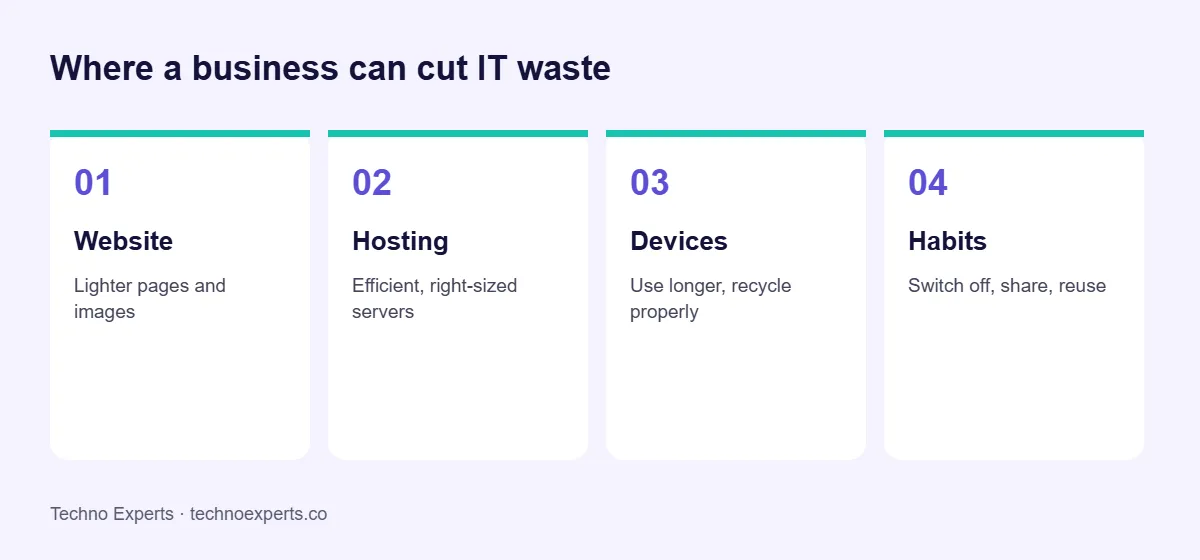
Green IT means using technology in a way that reduces energy use, waste and environmental impact, while still getting the work done. For a business, it covers the website, hosting, devices and daily habits. It often lowers costs too, because less energy and fewer replacements mean smaller bills.
Quick answer: what are the main green IT practices?
Build lighter websites, choose efficient and right-sized hosting, use devices for longer and recycle them properly, remove unused software and servers, and build simple habits such as switching equipment off. Measure first, then improve what matters most.
Why green IT matters for businesses
Data centres, networks and devices use electricity and create electronic waste. Customers and partners increasingly ask how companies handle this. For most small businesses, the practical gains come from simple choices: fewer wasted resources, longer-lasting equipment and efficient services.
1. Make your website lighter
A smaller page transfers less data, loads faster and uses less energy on servers, networks and visitors’ devices. This is also good for SEO because speed is part of Core Web Vitals.
- Compress images and use modern formats such as WebP.
- Remove plugins, scripts and fonts you do not use.
- Use caching and a content delivery network (CDN).
- Avoid autoplay videos and heavy animations.
- Check your pages with a tool such as Website Carbon Calculator to see how they compare.
2. Choose hosting that fits
Pick a hosting plan that matches your traffic instead of paying for a large server that sits idle. Ask providers about their data centre efficiency and renewable energy use. The Green Web Foundation lets you check whether a site is hosted on green energy.
3. Use devices for longer
Making a laptop or phone is a large part of its environmental impact, so keeping devices in use longer helps. Repair or upgrade before replacing, give working devices a second life, and send old equipment to an authorised e-waste recycler.
4. Cut unused servers and software
Old test servers, forgotten cloud instances and unused subscriptions keep running and costing money. Review them regularly, switch off what is not needed, and right-size cloud resources.
5. Build small habits
- Switch off monitors and equipment when not in use.
- Use power-saving settings.
- Share printers and print less.
- Prefer shared cloud tools to many separate copies of files.
- Support remote meetings when travel is not needed.
How to start
List your websites, servers, devices and subscriptions. Mark what is unused, oversized or old. Fix the easiest items first, such as heavy images and idle servers, then set a yearly review. Be careful with environmental claims: state only what you can measure and support.
SEO, AEO and GEO: what do they mean?
SEO helps your pages rank in Google. AEO (answer engine optimisation) means giving clear, direct answers that appear as featured answers. GEO (generative engine optimisation) means making your content easy for AI tools such as ChatGPT, Gemini and Google AI Overviews to read, trust and cite. See our glossary for details.
Frequently asked questions
What is green IT in simple words?
Green IT is using technology in ways that use less energy and create less waste, from lighter websites to longer-lasting devices.
Does a faster website mean a greener website?
Often yes. Smaller pages transfer less data and need less processing, so they usually use less energy and load faster for visitors.
Is green hosting worth it?
It can be, especially if the provider is open about its energy sources and efficiency. Check the provider’s own statements and independent tools, and also choose a plan that fits your needs.
How can a small business start with green IT?
Start with your website, unused subscriptions and servers, and device lifetimes. These are easy to review and often save money.
Does green IT help SEO?
Indirectly. Lighter pages load faster and perform better on Core Web Vitals, which supports a better experience and search visibility.
Need help with your website?
Techno Experts is a web design, SEO and AI company in Warje, Pune. See our Core Web Vitals service or talk to the team. You can also run a free website health check. We reply within 24 hours.
Written by the Techno Experts team, Pune. Reviewed by Suresh Shinde. Last reviewed October 2026.